从
基础 / 深入 / 实战
逐步学会建网站
现在很多的网站上会有数字展示,为了让效果看起来更加高大上,会让这些数字变化展示,数字翻滚计数到指定数字。效果如下图:
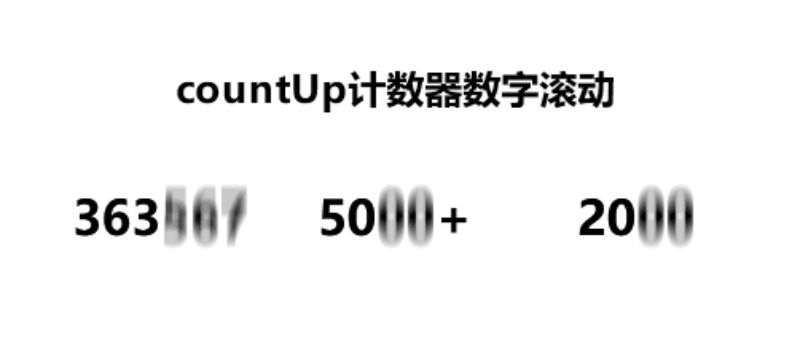
下面介绍一下这种动态数字翻滚计数到指定数字效果的制作方法。
第一步:将要变化的数字添加以下的CSS类;
<div class=”counter-value” data-target=”50″>0</div>
data-target=”50″:代表最终显示的数字
0:代表初始的数字
第二步:以下的JS代码放在网页最底部;
<script>
$(document).ready(function() {
// 公共动画参数
const duration = 2000; // 每个数字的动画持续时间(毫秒)
const useEasing = true; // 是否使用缓动效果// 为每个数字元素启动动画
$(‘.counter-value’).each(function() {
const $this = $(this);
const targetNumber = parseInt($this.data(‘target’));animateCounter($this, targetNumber, duration, useEasing);
});// 动画函数
function animateCounter($element, target, duration, useEasing) {
const start = 0;
const startTime = Date.now();function update() {
const elapsed = Date.now() – startTime;
const progress = Math.min(elapsed / duration, 1);// 缓动函数(easeOutCubic)
let currentValue;
if (useEasing) {
const easeProgress = 1 – Math.pow(1 – progress, 3);
currentValue = Math.floor(start + (target – start) * easeProgress);
} else {
currentValue = Math.floor(start + (target – start) * progress);
}$element.text(currentValue);
if (progress < 1) {
requestAnimationFrame(update);
} else {
$element.text(target); // 确保最终精确到达目标值
}
}update();
}
});
</script>
这样显示的数字就会是变化翻滚的了。
如果想达到指定位置再执行数字变化函数,可以配合JQEURY 实现监控到达可视区域后执行函数使用。